
Track what’s happening as a health event unfolds.

Event & Progress Add-on

Life doesn’t pause for a health event — but what happens next needs to be tracked, shared and remembered.

A diagnosis, accident or ongoing condition can bring appointments, new medications, questions, contacts and care updates.

This module gives you one organised place to record what happens, what changes, and what needs to happen next.

This module can be used as a standalone system by placing the contents into a 2-ring binder or as an expansion to an existing handbook.

What’s Included in the Module

Your module includes 27 pages organised across tabbed sections. Pages are printed double-sided and supplied unbound, 2-hole punch, ready for use. 20 document sleeves and access to the Health Event Library is also included.
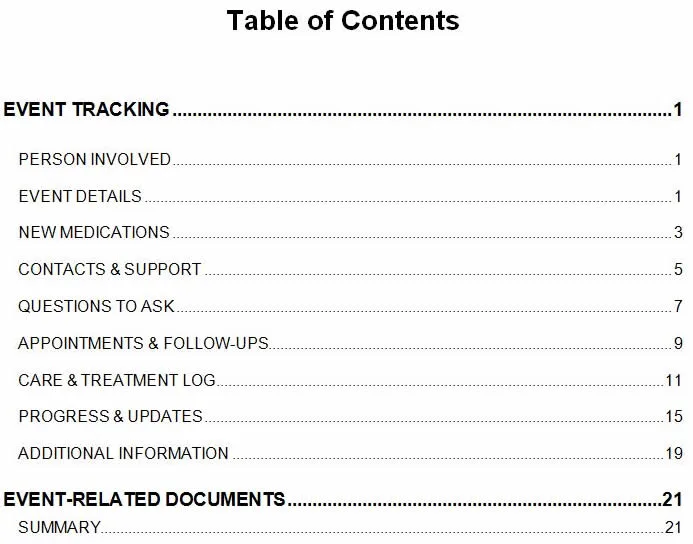
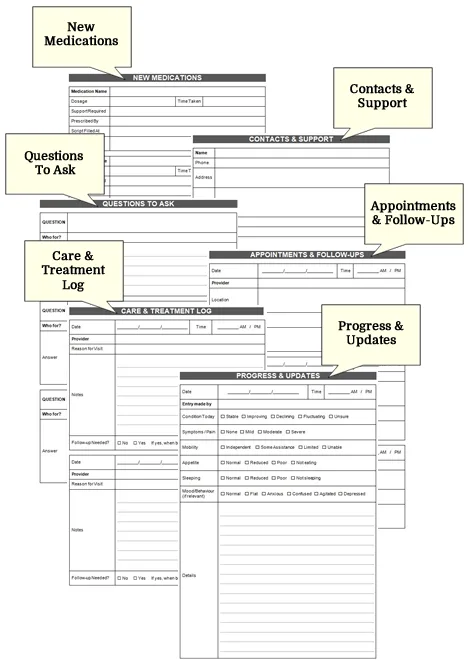
Event & Progress Module: Table of Contents
Event & Progress Add-on Pages

Health Event Library

The Health Event Library gives you access to extra Event & Progress pages when one set is not enough.

Download and print additional pages as needed, including progress notes, appointment follow-ups, care updates and treatment logs.

This is helpful when a health event runs longer than expected, becomes more complex, or needs to be documented over time.

Access is provided through a private page, with the link and password included in your Welcome Letter.
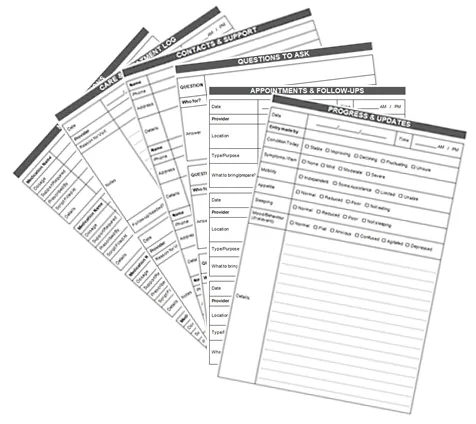
Health Event Library

Using the Module with Your Existing Handbook

For Owners of an End-of-Life Planning Handbook

You add the Event & Progress Module to your existing handbook to extend it beyond end-of-life planning and into real-time use during a health event.

1. Insert the module into your handbook
Place the module behind your existing sections using the included tabs.

2. Use it when a health event occurs
When a diagnosis, accident or ongoing condition arises, begin documenting appointments, medication changes, care updates, questions and progress notes as they happen.

3. Keep everything together
Your personal information, contacts and planning remain in your handbook, now supported by real-time event tracking alongside it.

When a health event is complete, or a new one begins, you can simply add another Event & Progress Module to continue tracking changes without disrupting your existing records.

This turns your handbook from a prepared document into a practical working system that supports you and your family in the moment.

For Owners of a Health Event Handbook

PART 4: Events & Progress is already included in your Health Event Handbook Kit. This module can be used in two ways:

1. Archive a completed health event
When a health event, treatment period or recovery journey has been completed, remove the completed PART 4 section from your handbook and replace it with the fresh set of pages included in this module. The tabs provided can be used to organise and store the completed event, keeping related notes, records and documents together for future reference.

2. Track a new health event
If PART 4 is still being used for an active health event, place this module into a separate folder and use it to begin documenting a new illness, injury or treatment journey. This allows multiple health events to be managed at the same time without confusion or overlap.

This option is particularly useful when managing multiple health events over time, keeping completed records separate for future reference or documenting health events affecting more than one person in the family.

These methods help keep your Health Event Handbook Kit organised, current and ready to support each new situation as it arises.

Ready to get organised?

Event & Progress Module – only $29.95

Designed as a practical tool to support health event preparedness.
Our products help organise personal, household, care and health-related information in one place. They do not provide legal, financial or medical advice. You should seek qualified professional advice where required.